Instructions that work in a
multilingual workplace.
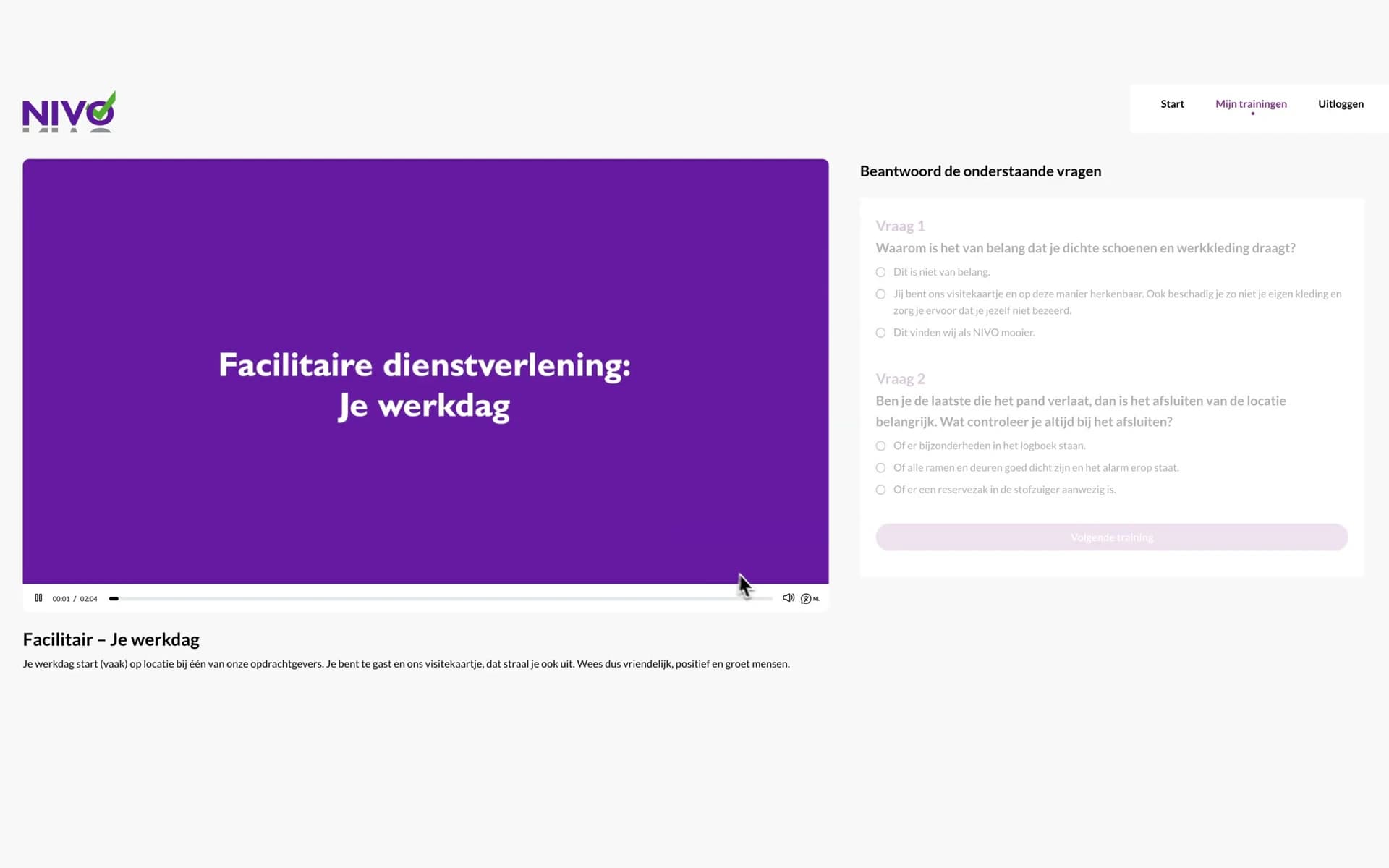
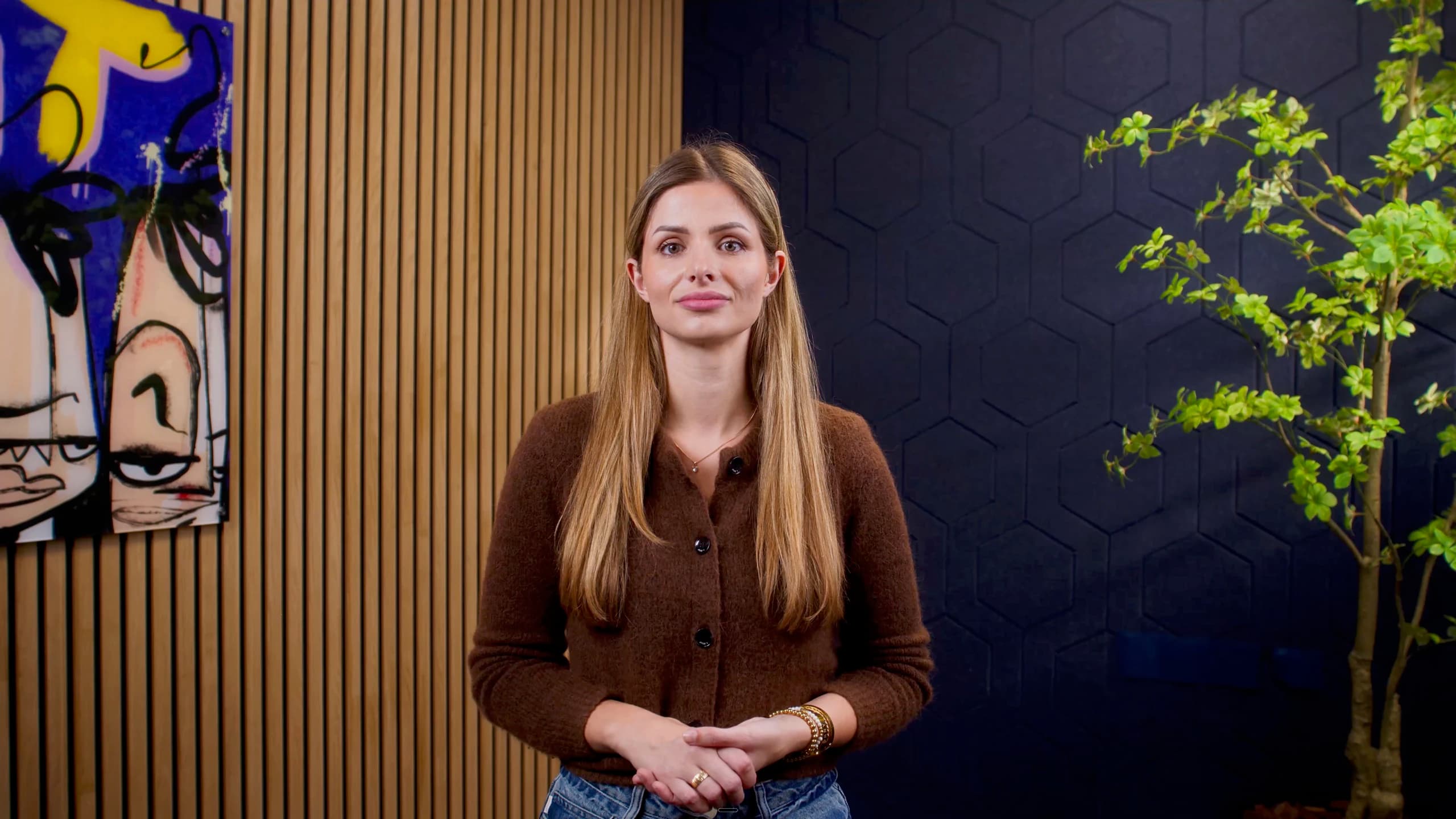
We record a colleague once and create an AI clone. After that, you turn any text into a video in which that colleague explains it, in your employees' language.
Images made with AI









How it goes today
Everyone nods.Whether it landed, you can't tell.
Instructions have to be repeated again and again
You explain it. All over again. Face to face, at every location, for every new employee. Your team leaders tell the same story until they can't bear to hear it themselves.
Not everyone understands the local language
With hand gestures and Google Translate. Your team leaders do their best, but in the local language their explanation only half reaches employees who speak another language or have low literacy.
You only see mistakes afterwards
You don't know who understood it. Nobody says out loud that they don't get it. So you only find out when the work hasn't been done properly.
New employees leave again quickly
People who don't feel at home don't stay. Employees who don't understand your organisation don't feel connected to it either. Turnover rises and you start again at stop 1.
And all over again.
After stop 4, it starts again at stop 1.
There is another way
Record once.After that, you only type text.
Record once
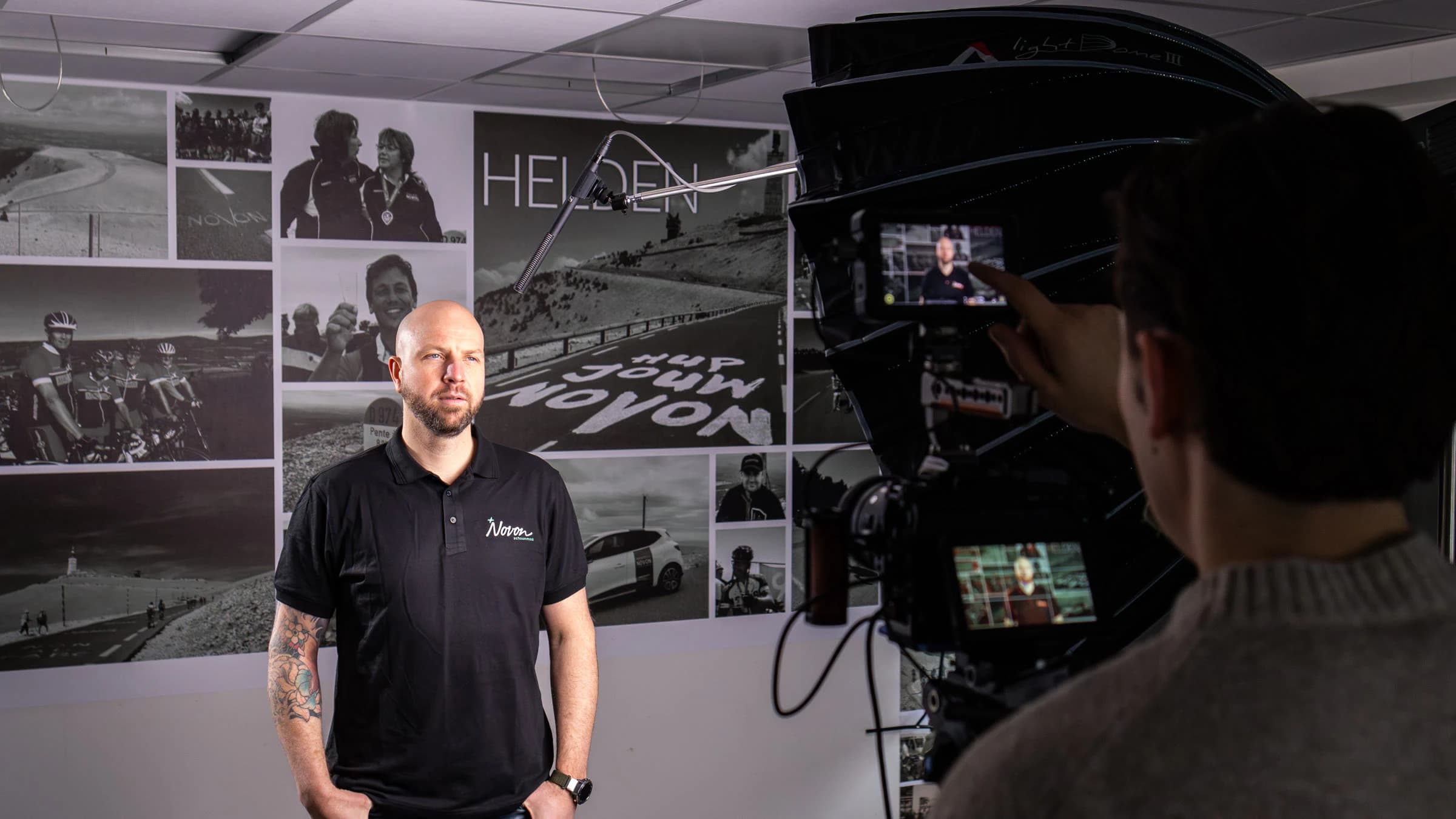
We record
Half a day on location. Nothing to learn by heart.
Have videos made automatically
You type your text, choose the languages and have the video made
Paste a work instruction and choose your clone. Within a quarter of an hour, the video is ready.
Share the video the way you want
Via the module, an embed code, a download or a QR code
Employees watch in their own language, without an app or login.
Insight into who understood what
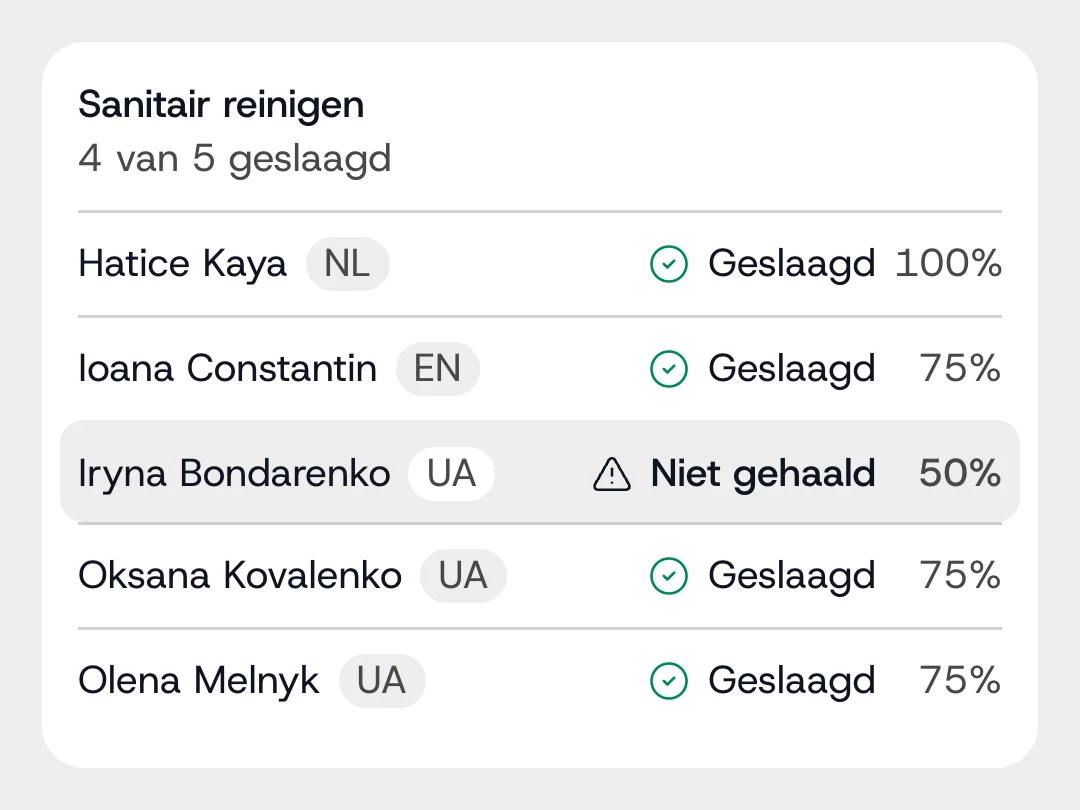
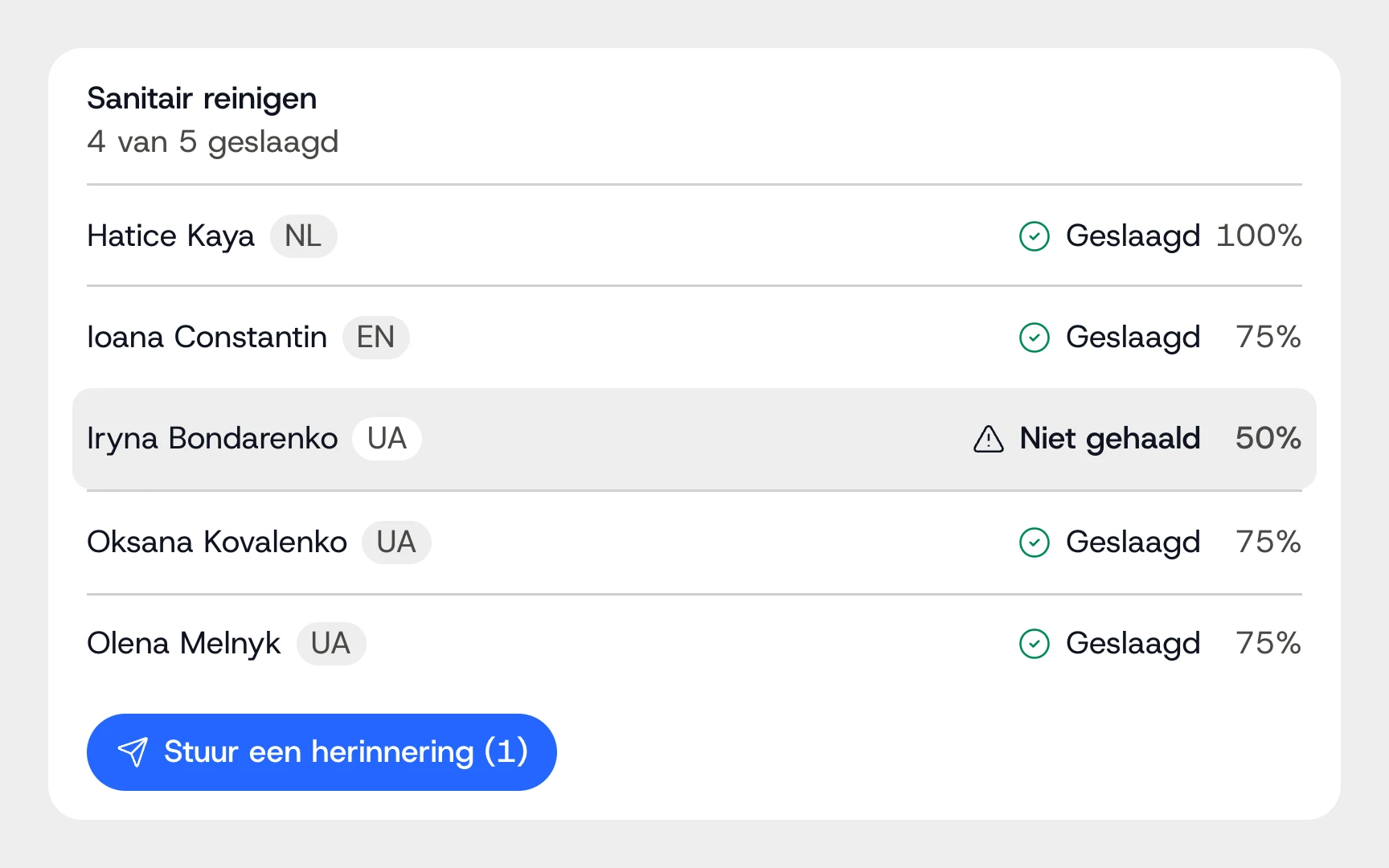
See who understood it
Quiz questions per video, results per employee.
New employees leave again quickly
And employee turnover?
People who hear everything in their own language from day one, from a familiar face in their own organisation, feel at home sooner. And people who feel at home stay longer. With today's tight labour market, that investment quickly pays off.
Hear how it sounds to your employees.
One sentence, typed in your own language. Pick a language and hear the same voice speak it.
What you type
Welcome. Today I'm going to explain how we work here.
Welkom. Ik ga je vandaag uitleggen hoe wij hier werken.
What your employee hears
Nederlands
Click a language to hear it.
From text to quiz, in one environment.
Making, translating and sharing videos, and seeing who understood them, happens in one place. Your employees only need a link.
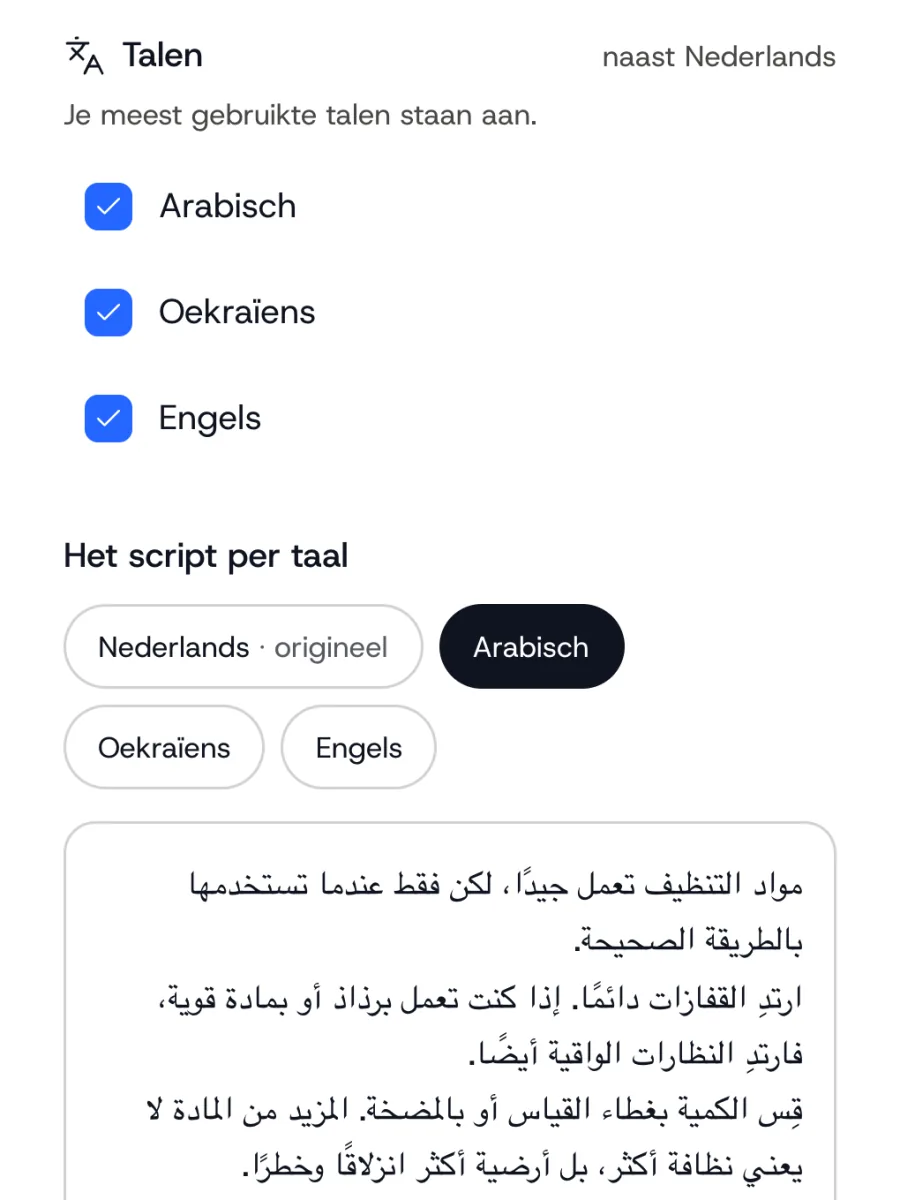
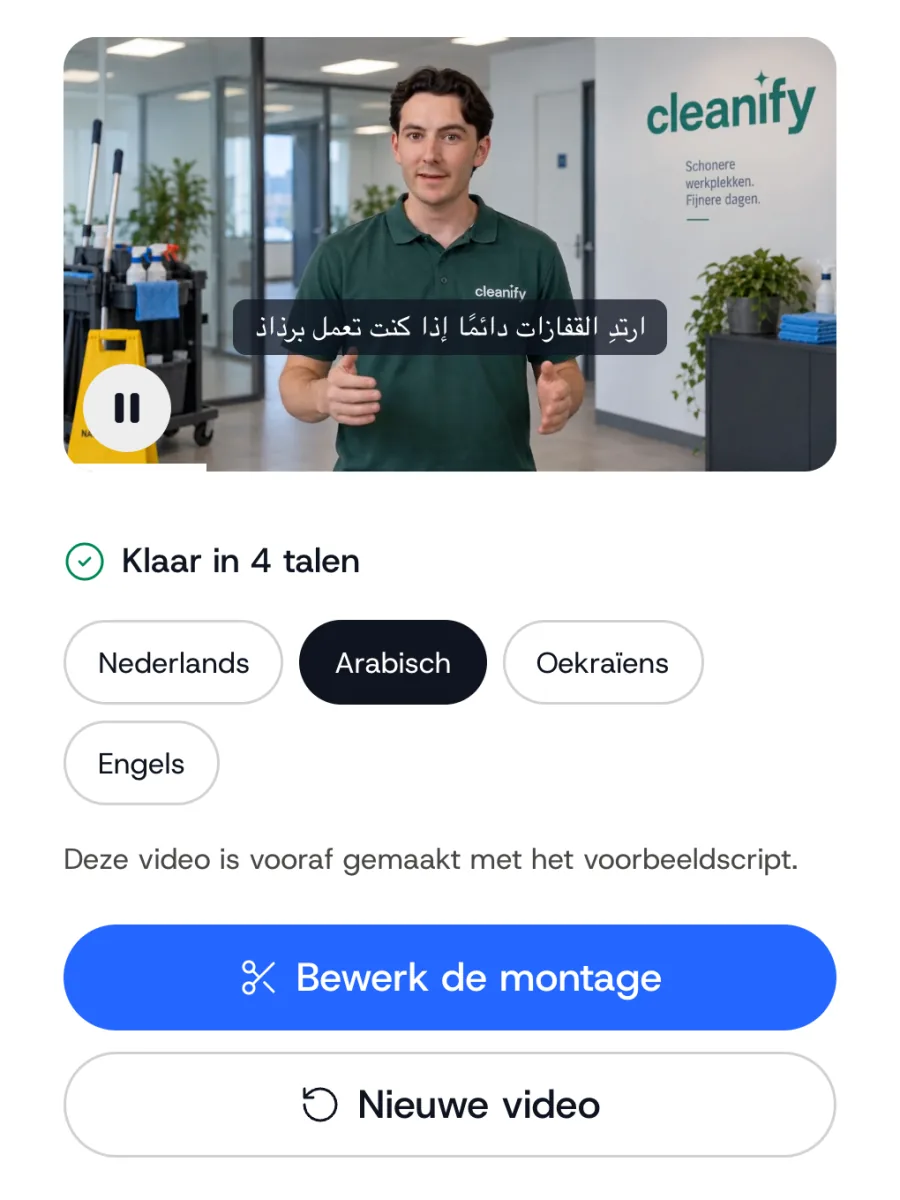
1 / 4
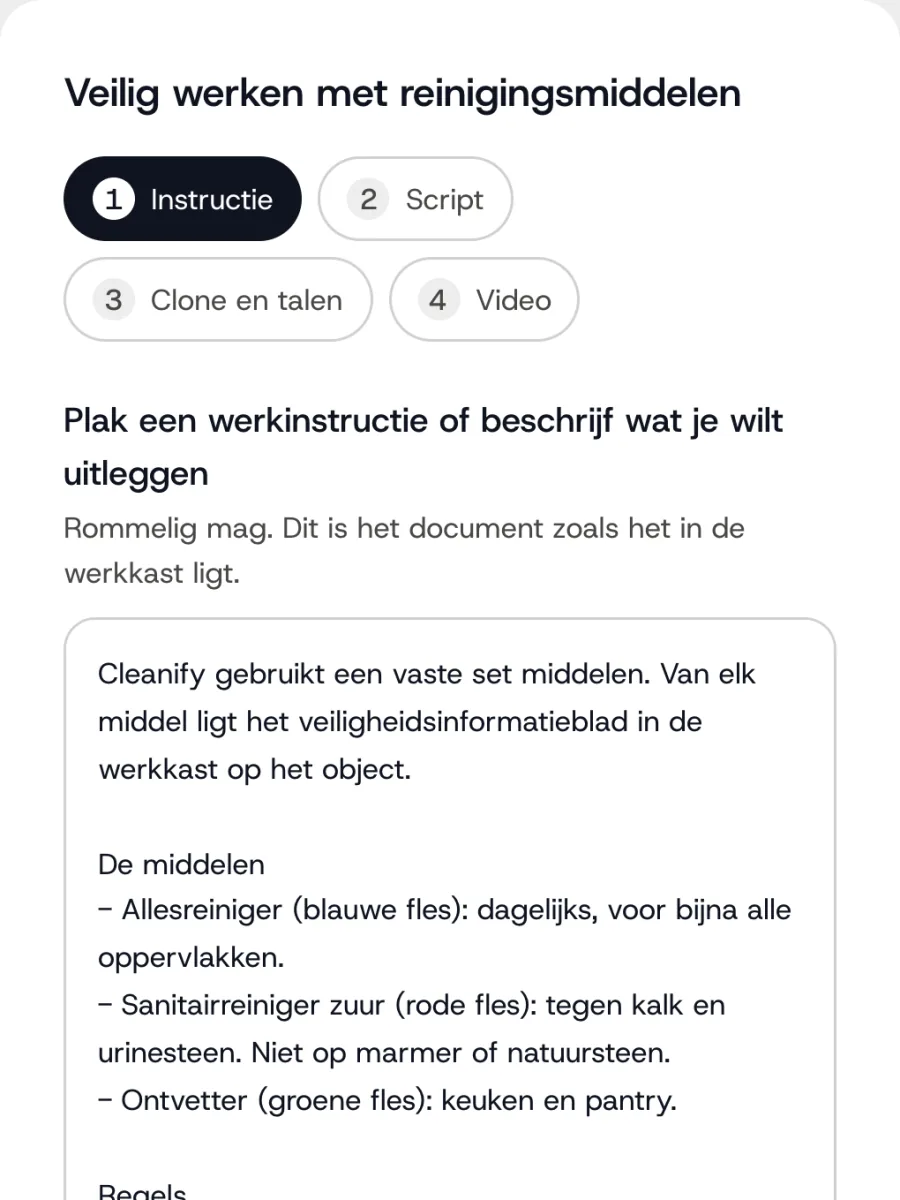
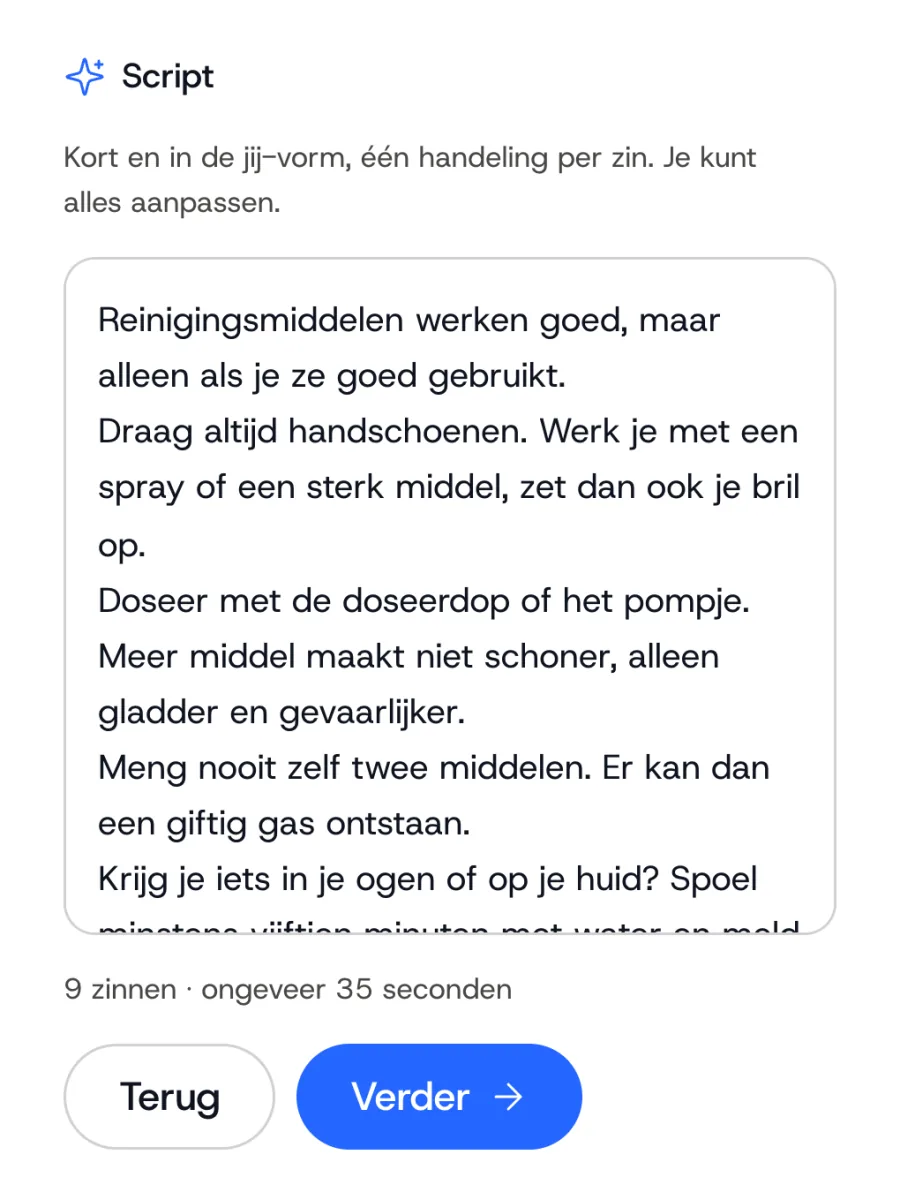
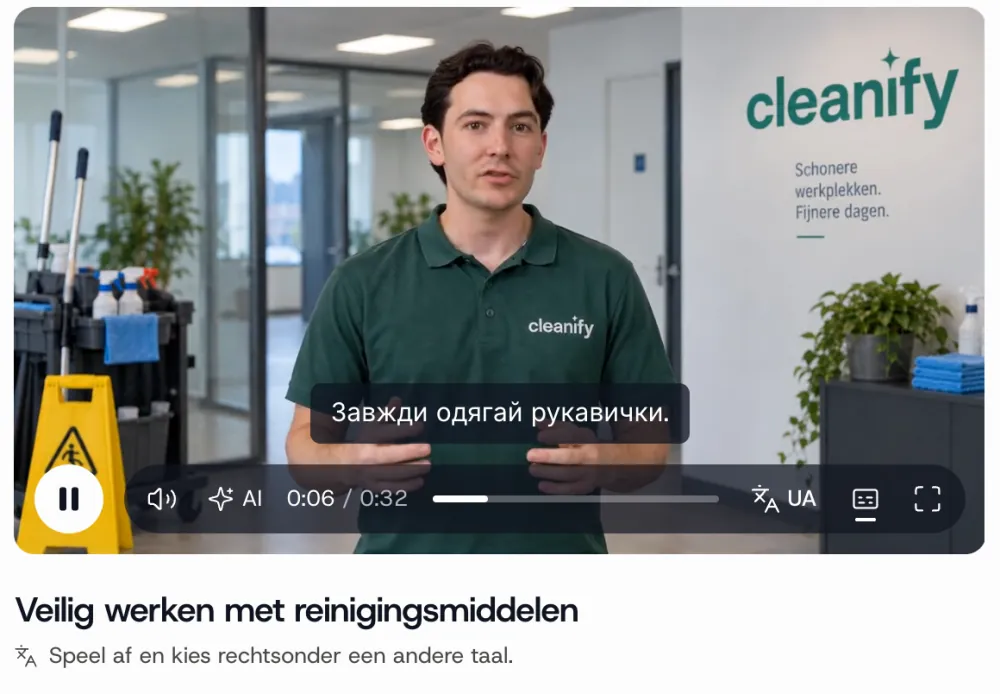
From text to video
Paste an instruction or describe what you want to explain, then choose the clone and the languages. After 10 to 15 minutes the video is ready, with visuals and bullet points the editor adds by itself.
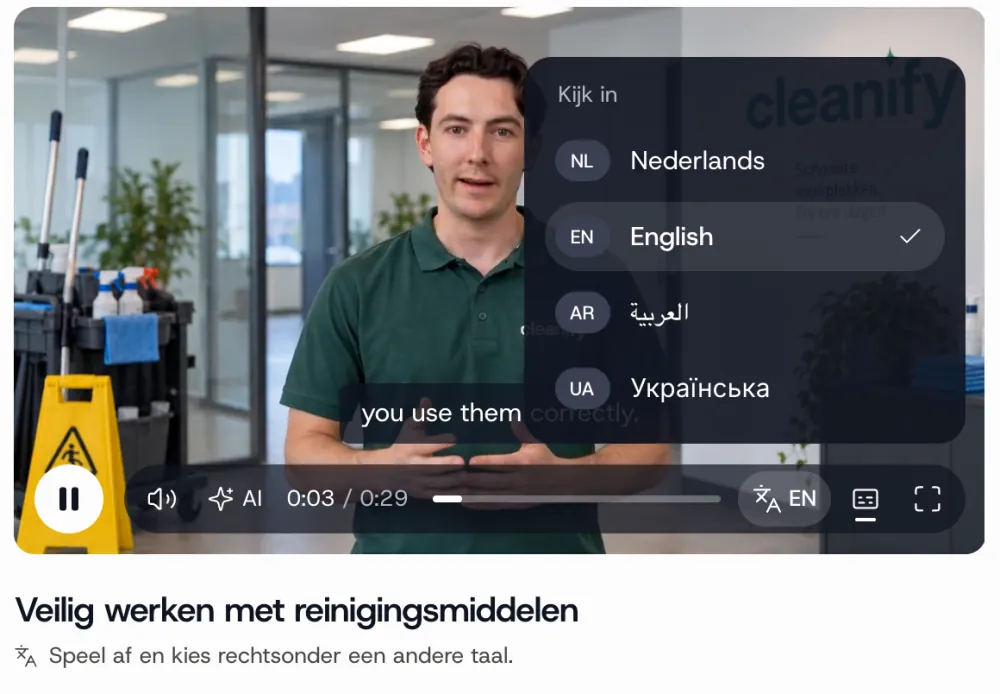
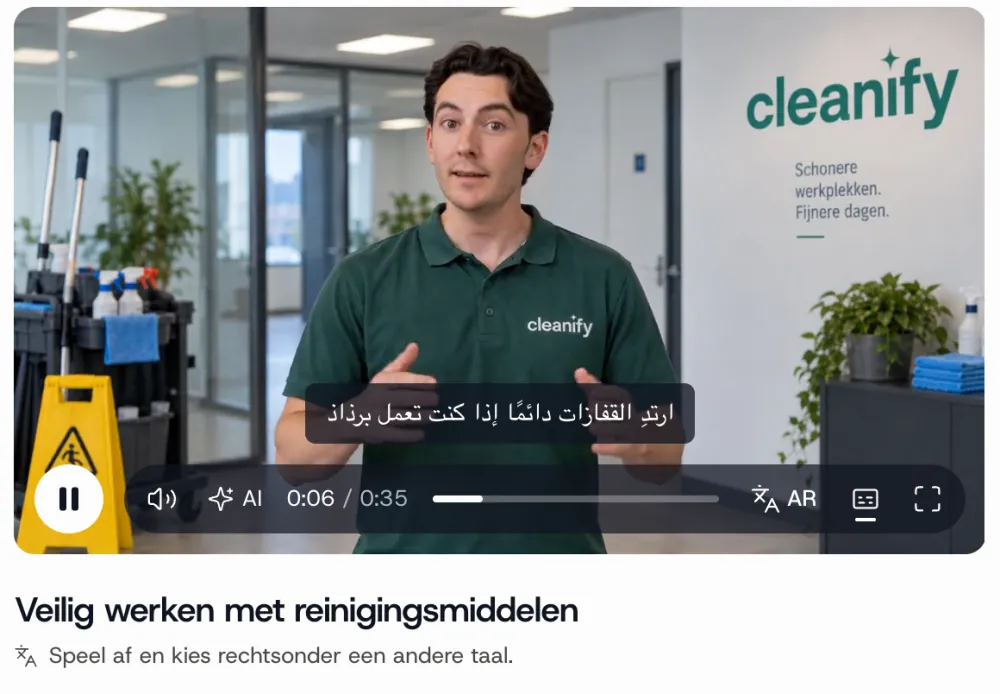
1 / 3
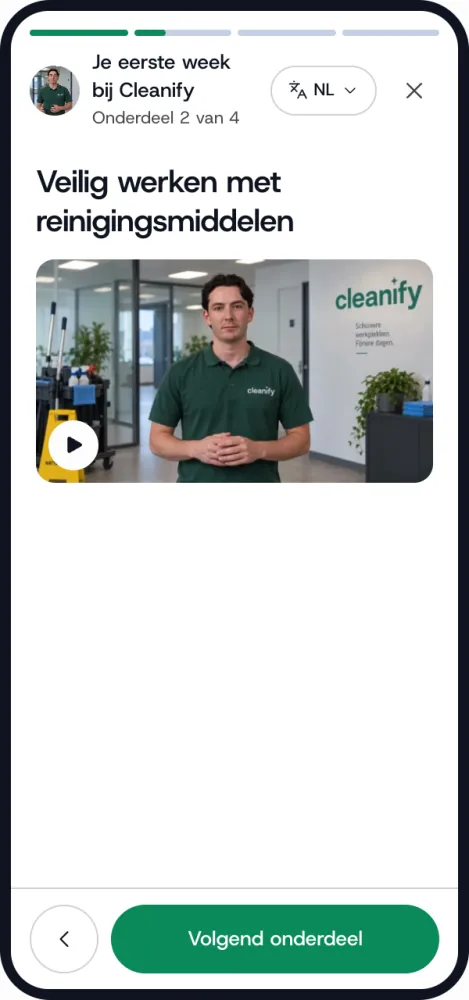
Multilingual player
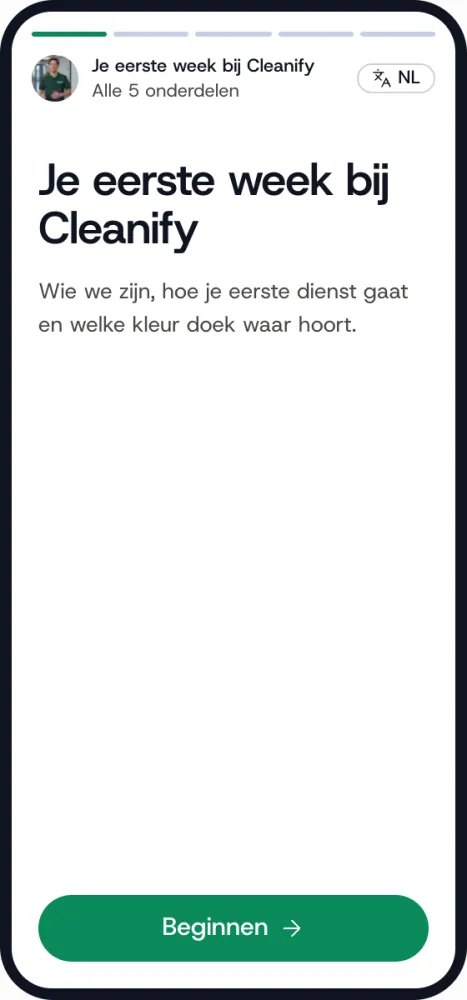
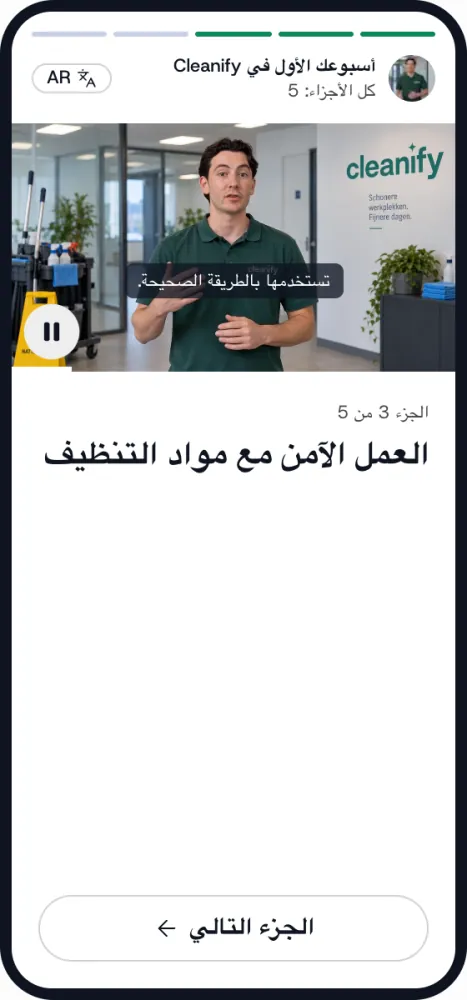
One link for every language. The player opens in the language of the phone, and anyone who wants can pick another. Voice and subtitles switch along.
1 / 4
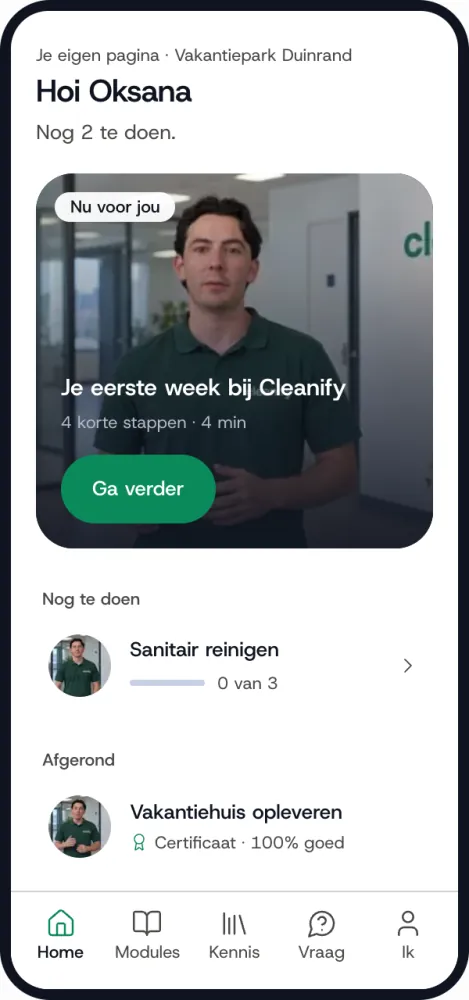
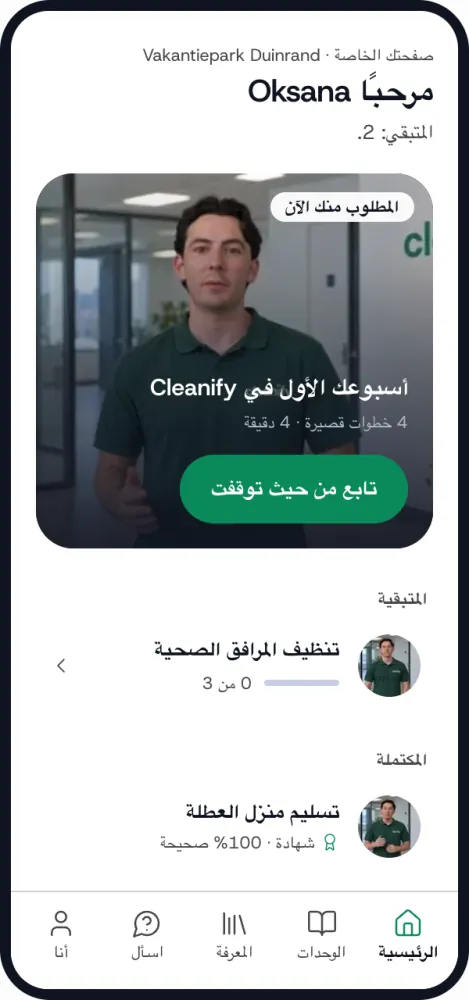
Employee portal
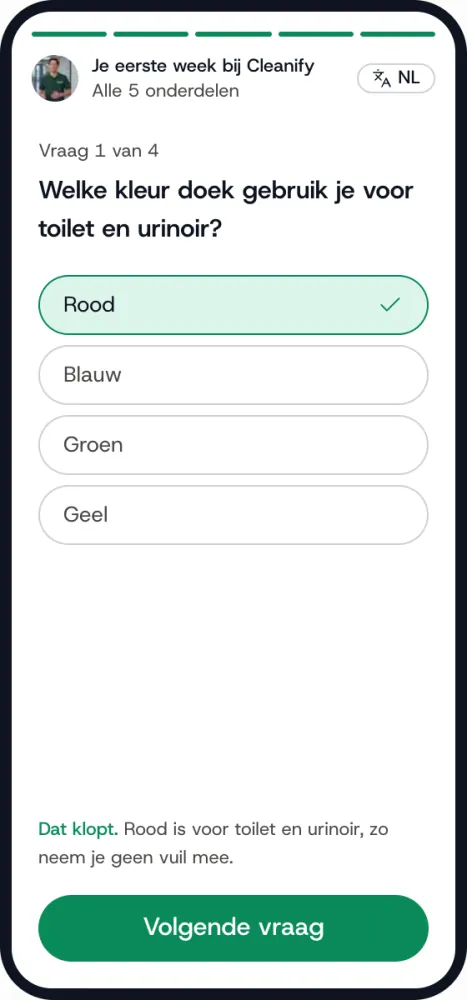
All of an employee's videos and modules in one place, on their own phone, without a login or app. Handy if you don't have a system of your own.
1 / 4
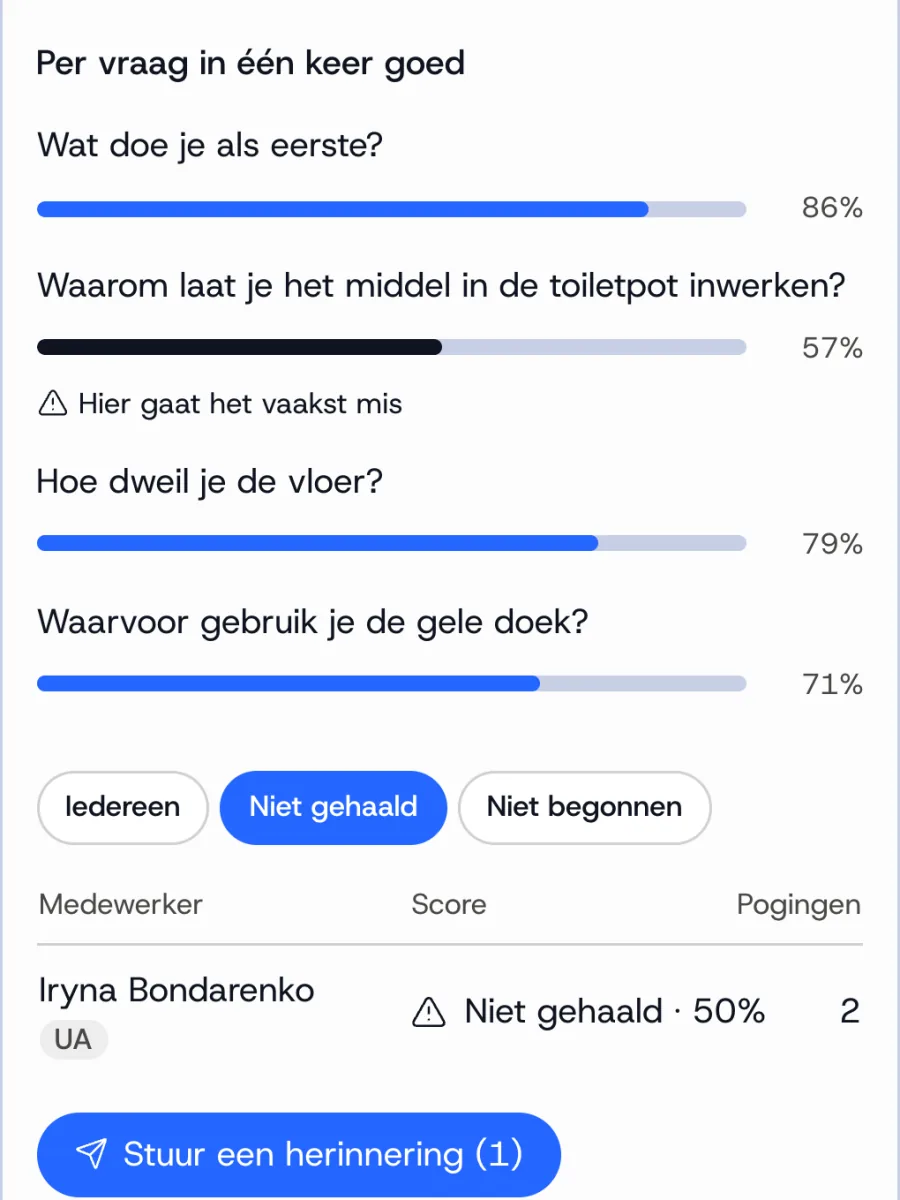
Modules and quiz questions
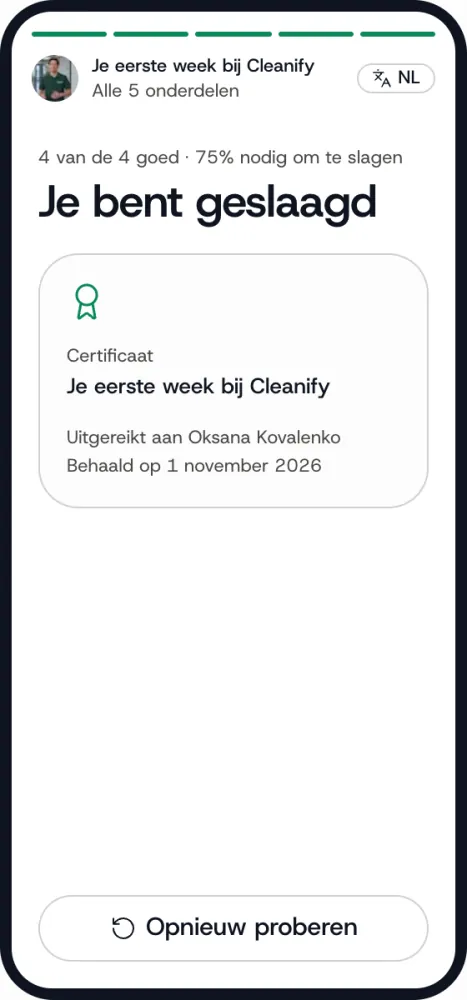
Put videos in a module with a few quiz questions. The platform suggests the questions, you adjust them. Anyone who passes gets a certificate.
1 / 2
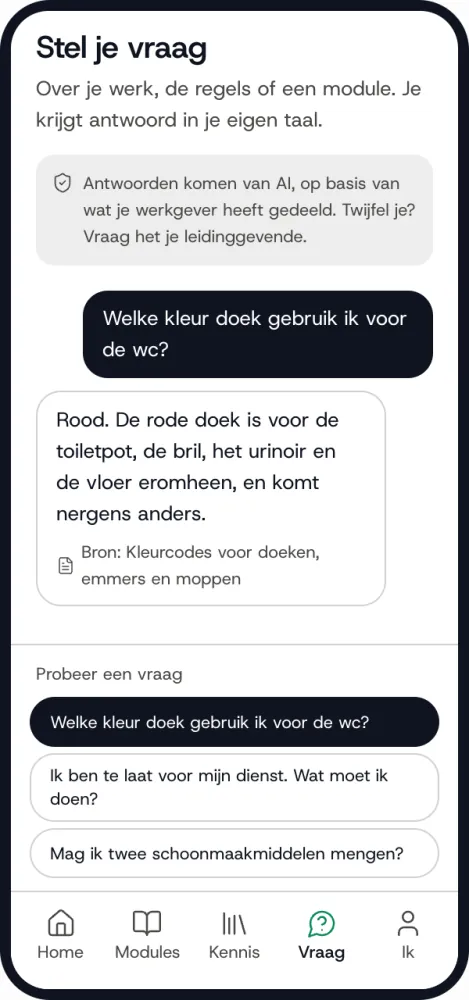
Interactive clone
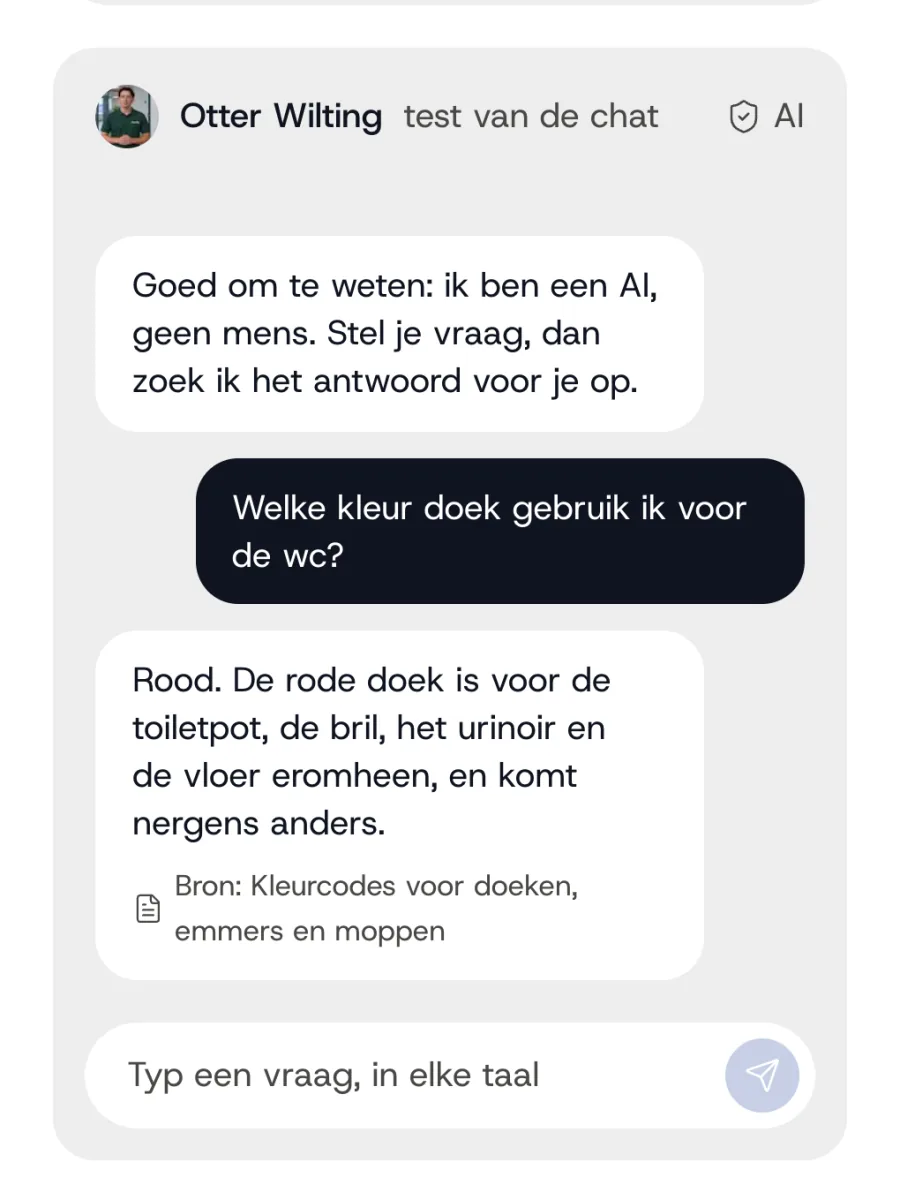
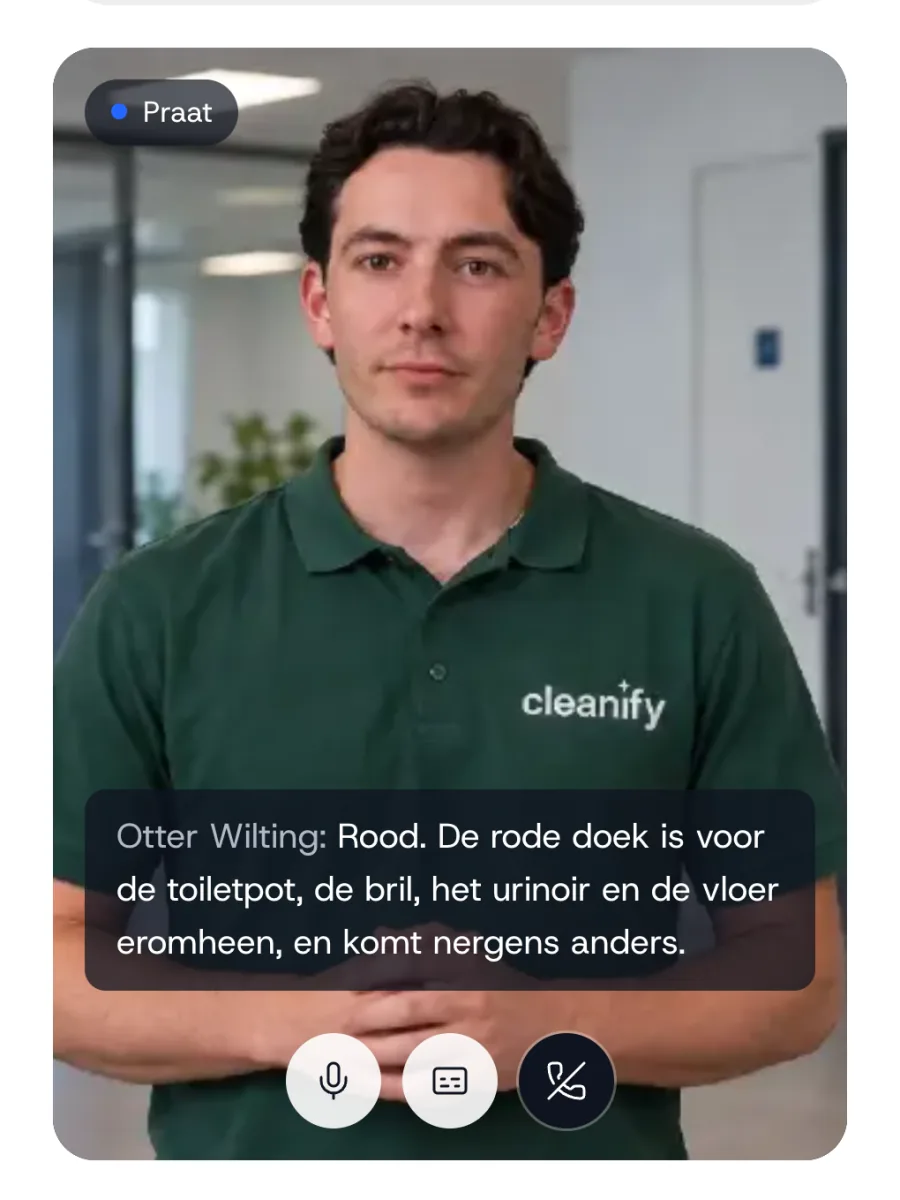
Add-onEmployees ask the clone their question, by typing or speaking, and get an answer from your own documents.
1 / 4
Results
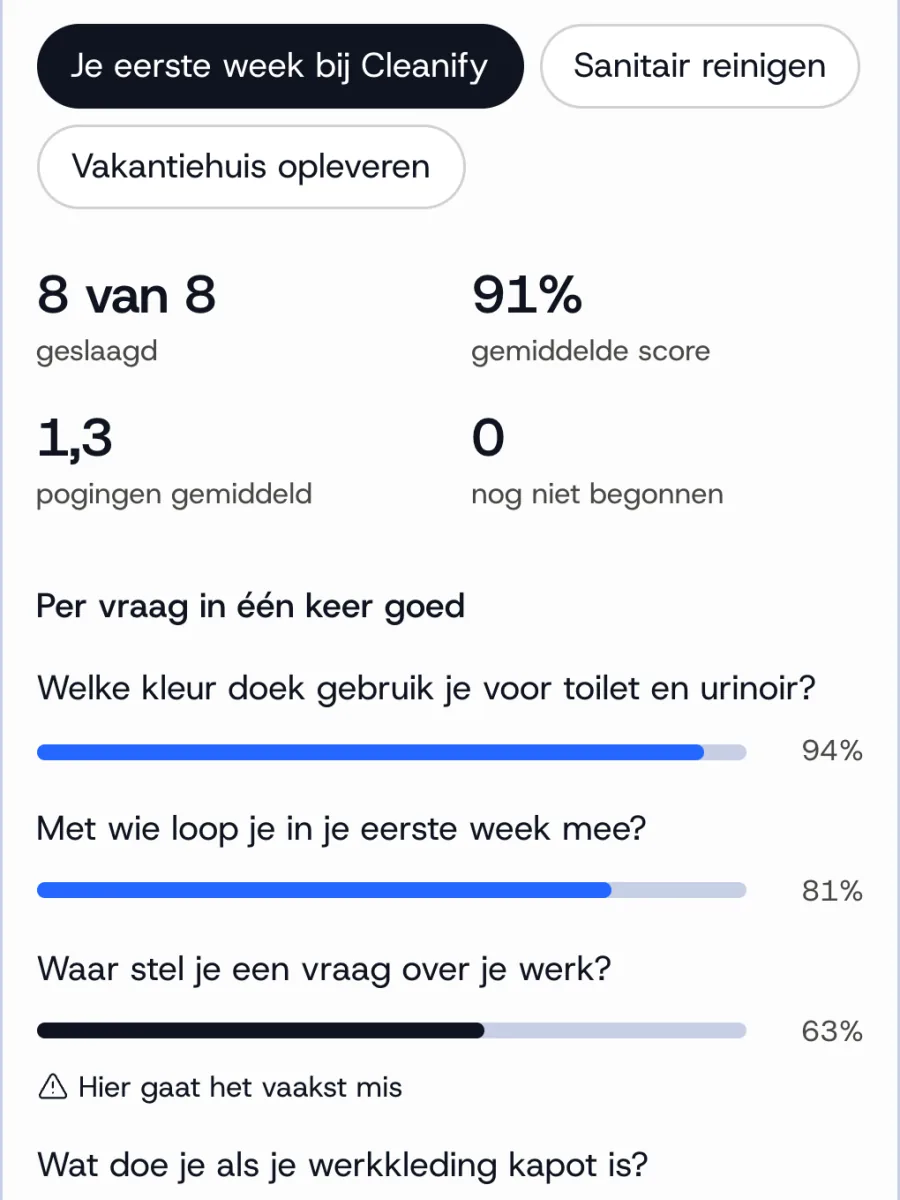
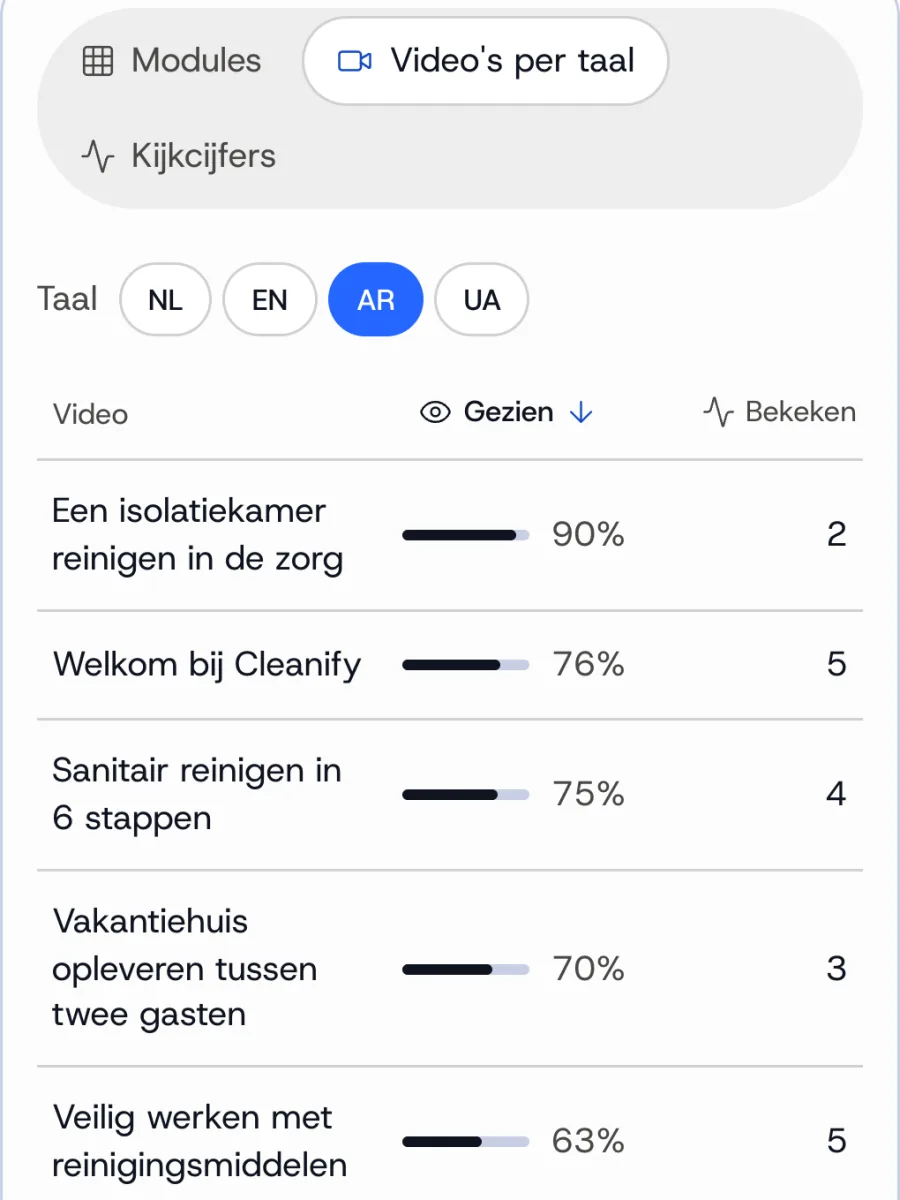
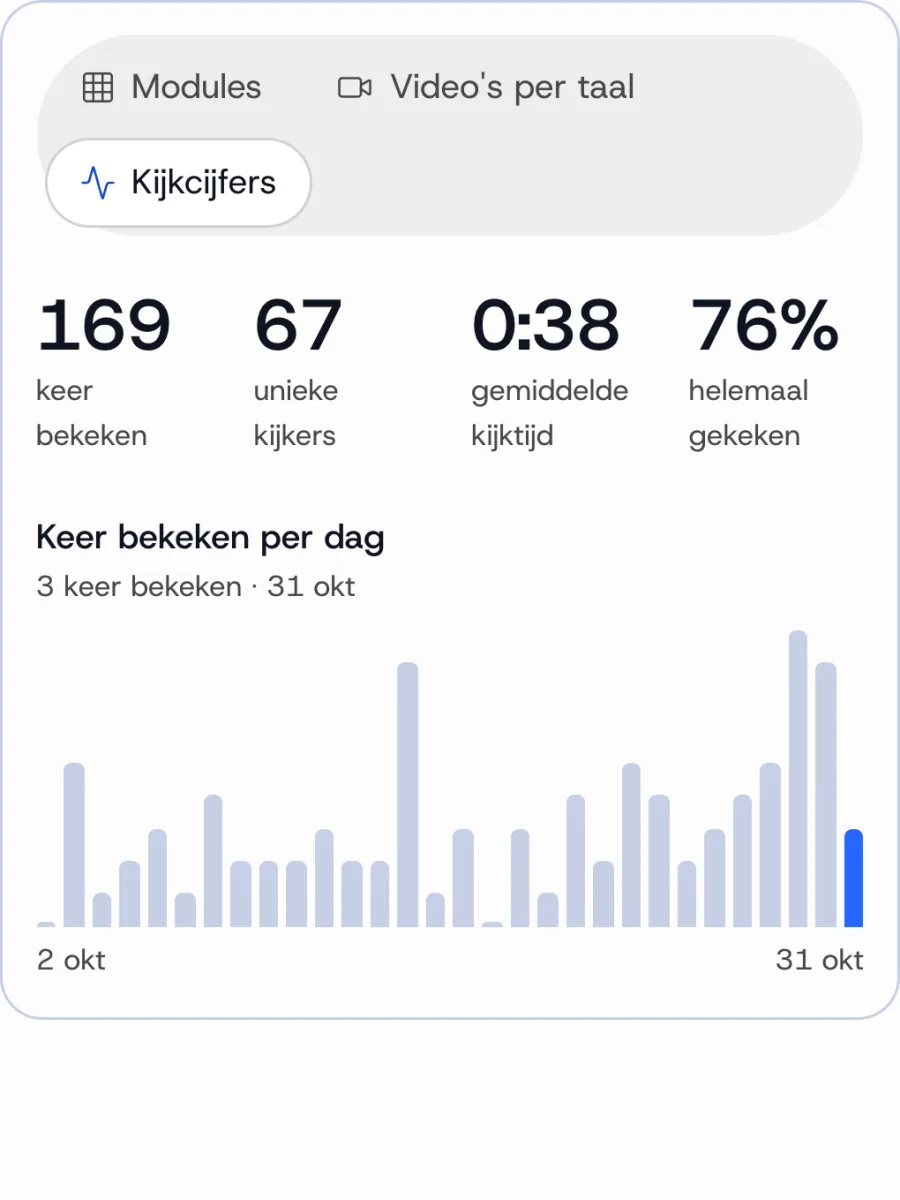
See per module who passed, which question goes wrong most often and who still has to start. And per video and language how well people are watching.
Use cases
Made for the workplace. Also used beyond it.
Most organisations start with onboarding and work instructions. Per sector, a few ideas for the first videos, for employees and for anyone outside who needs an explanation.
Instructions that need to be the same at every location, for employees who have often just started and speak different languages.
Ideas for videos
- Your first shift: what you need to knowNew employees
- Colour codes for cloths, buckets and mopsEmployees
- Working safely with cleaning productsEmployees
- Cleaning an isolation room in healthcareEmployees
- The house rules of a siteEmployees on site
- Calling in sick, leave and your payslipEmployees
For care workers, and for patients who want to prepare with an explanation from someone in their own team.
Ideas for videos
- Hand hygiene and infection preventionEmployees
- Lifting and moving without strainEmployees
- Preparing for your operationPatients
- What to expect on the day of admissionPatients
- Recovering at home after dischargePatients
- Using your medication safelyPatients
Work instructions and safety around machines and in the warehouse, for new people and temporary workers who need to get started quickly.
Ideas for videos
- How our warehouse worksNew employees
- Working safely with a forklift or pallet truckEmployees
- Starting up and shutting down a machineOperators
- Which protective equipment you wearEmployees
- What to do in case of an accident or fireEveryone on the floor
- Quality control on the lineOperators
For employees on the building site, and for residents who want to know what's happening in and around their home.
Ideas for videos
- Working safely on the building siteEmployees
- Working at heightEmployees
- What happens during the renovationResidents
- How to use your new window framesResidents
- Maintenance you can do yourselfResidents
- Schedule and disruption of the worksResidents
For childcare workers, and for parents who prefer to hear the explanation in their own language.
Ideas for videos
- Your first week in the groupNew employees
- Safety and hygiene in the groupEmployees
- How things work at the childcare centreParents
- Drop-off and pick-upParents
- What's changing in your contractParents
- Applying for childcare benefitParents
See what clients think of it.


Less explaining, more certainty.
Fewer hours spent explaining
Team leaders don't have to explain the basics again and again. The video takes that over, including at locations where they aren't present.
Fewer mistakes on the floor
People who understand an instruction carry it out correctly more often. That saves rework, client complaints and risk around machines and products.
A better start for new colleagues
People who get explanations in their own language from day one know what's expected and feel part of the team sooner. That can help reduce turnover in the first months.
Demonstrably trained
Quiz questions, a certificate and results per employee. At an audit, such as VCA or HACCP, you show who completed what.
Start once, then a fixed amount per month.
The monthly amount doesn't depend on the number of employees or on how often videos are watched. Whether ten people watch or a thousand, it makes no difference to the investment.
Setting up the clone and platform
from€3,500
excluding VAT
- Your own AI clone in image and voice, recorded on location at your site
- An environment in your house style, ready to use
- Live onboarding and 60 minutes of Standard video to get started
Platform with your AI clone
from€395per month
excluding VAT
- One platform to make, share and track videos, with your AI clone built in
- Employees watch in their own language, from 90 languages
- No login or app: via link, QR, WhatsApp or your own systems
- Modules with a quiz and certificate, and results per employee
- 5 admins and personal help from us whenever you need it
In a half-hour demo, we work it out for your situation.
Need more?
Making new videos
Per minute
You buy extra minutes when you need them, without a monthly minutes subscription. Bundles stay valid for a year.
30 min
€200
60 min
€350
150 min
€800
Prices apply to Standard. Premium, with more natural facial expressions and movement, counts double. Every language version counts as its own minutes, so 5 videos of 1 minute in 6 languages make 30 minutes. More minutes on request.
An extra AI clone
On request
For example a second face per region or topic. Need several clones? Then it's best value to record them on the same day.
Interactive clone
On request
Employees ask the clone their question, by typing or speaking.
All amounts exclude VAT.
How much can you save with it?
Enter how things work for you today. You'll see right away what explaining and turnover cost you now, and how much you could save on that.
Currently calculated with 11 hours of explanation per new employee, €35 per hour, €5,000 per replaced employee and 10% fewer leavers.
How many fewer leavers do you expect with better explanations?
Average: new colleagues get a better start in the first months.
With these figures, you save roughly
€12,427 per month
Explaining things to new employees
- What it costs you now
- €9,625 per month
- What you could save
- €7,219 per month
and 206 hours a month back for team leaders
Turnover
- What it costs you now
- €52,083 per month
- What you could save
- €5,208 per month
Your investment: from €395 per month, excluding VAT.
An estimate based on your figures. In the demo we work through it together. Calculated with 75% of the explanations: a quarter stays personal. The starting values for turnover and replacement are assumptions. Adjust them to your situation.
In 30 minutes we work it out together for your situation.
What people ask us before they start.
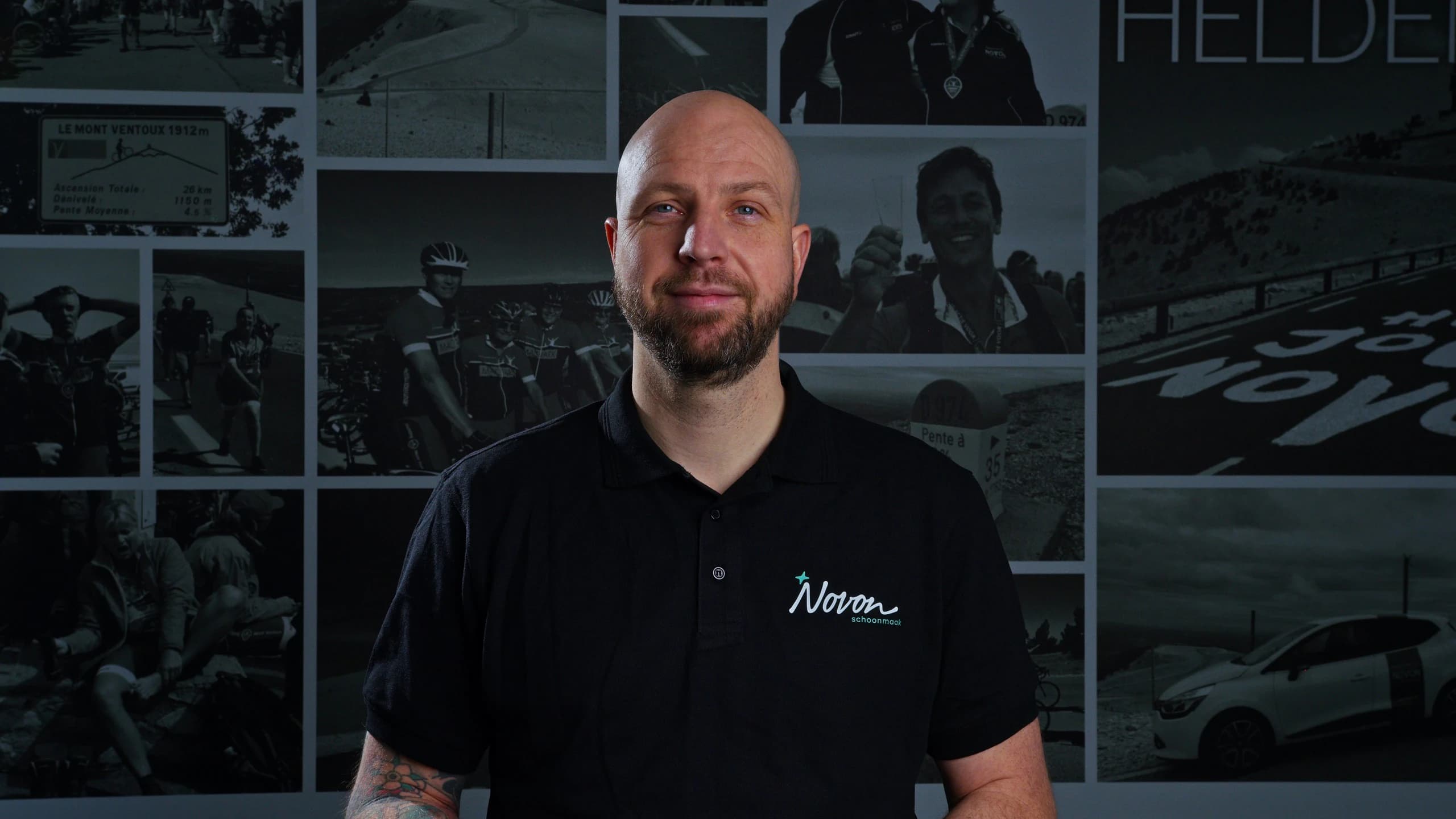
An AI clone is a digital version of a real colleague, made from a single recording of image and voice. You type a text in your own language and the clone speaks it in a video, in 90 languages, with the same face and the same voice. At Clonefy, that is always someone from your own organisation, recorded on location, and every video carries a label stating that it was made with AI.
Clonefy is a multilingual training platform from Groningen. We make an AI clone of a colleague, which organisations use to create their own explainer videos in 90 languages for onboarding, work instructions and safety, with quiz questions and results per employee.
No. We record once. After that, you make a new video by typing a text, and the clone speaks it, in the languages you choose. Nobody has to stand in front of the camera again for that.
You do, with help from the platform. You paste an existing instruction, or you describe what you want to explain and the platform writes the script, based on your own documents and in your tone. You don't need any AI knowledge for it.
The clone explains; it doesn't pick up a mop itself. You show tasks with your own photos or short clips, which you place in the video while the clone explains. Or you film the task once in your own language and translate that video into other languages in the platform, with the voice of the person themselves.
Then you edit the text in your own language and make the video again, without a new recording. The other languages follow along. The new version does come out of your credit again.
A standalone avatar tool is made for creating videos. Clonefy is built to explain to employees in their own language how the work is done, and to see whether it landed. So a recording of your own colleague on location, all languages in one go, one link for everyone, quiz questions and results per employee. And we help at the start and afterwards.
With onboarding: a short welcome module for new employees. That way they get to know the clone before it gives work instructions. Work instructions and safety usually follow. In the demo, we choose a first project together.
If you need to explain something to people who don't all speak the same language, there is a good chance it fits. We started in cleaning and now also work in industrial cleaning, healthcare, childcare and resident communication. Not sure? Bring it to a demo and we'll tell you honestly whether it fits.
Curious how it would work for you?
In a 30-minute online demo, we look at your situation, show you how it works and decide together what your first videos would be. If it isn't a good fit, we'll tell you.
We discuss your situation and show you live how it would work for you. 30 minutes, no obligation.